 Michele Eccher
On this page
SEO stands for search engine optimization: improving a website's presence in organic search results, the listings that aren't paid ads. As Google's SEO Starter Guide explains, the work helps search engines understand your content and people find it. For a business owner or marketing manager, knowing what makes a page accessible and useful helps you decide what to change and who should do the work.
How does a page get from your website to Google's results?
Google's documentation on how Search works describes crawling, indexing, and serving search results. Before Google can read a page, it needs to discover the URL. Finding that address starts the process; it doesn't confirm that the content is in the index.
Discovery
Google knows the page's address.
The URL may still be waiting to be crawled.
Crawling
Google tries to fetch the content.
An access restriction can prevent Google from reading it.
Indexing
Google analyzes the content for its index.
A crawled page may still be left out of the index.
- Someone runs a search
Results and ranking
Google selects results for that search.
Being indexed does not guarantee a place in the results.
During discovery, Google finds a URL by following a link or reading a sitemap, a list of URLs you submit to the search engine. During crawling, a program called Googlebot tries to fetch the page. During indexing, Google analyzes the content and, if it finds similar pages, considers which version to keep.
Ranking is the order of results for a particular search. A page may appear for one question and not another. Google uses automated systems that assess many signals about individual pages and the site as a whole to select useful, relevant results. Its guide to ranking systems explains how these work.
"I can't find the page" isn't a diagnosis yet. The page may be missing from the index, or it may be indexed without appearing for the search you tried. Each situation calls for a different check. In the first, look for the reason it wasn't indexed. In the second, examine the search, your page, and the results it competes with.
What can your business change?
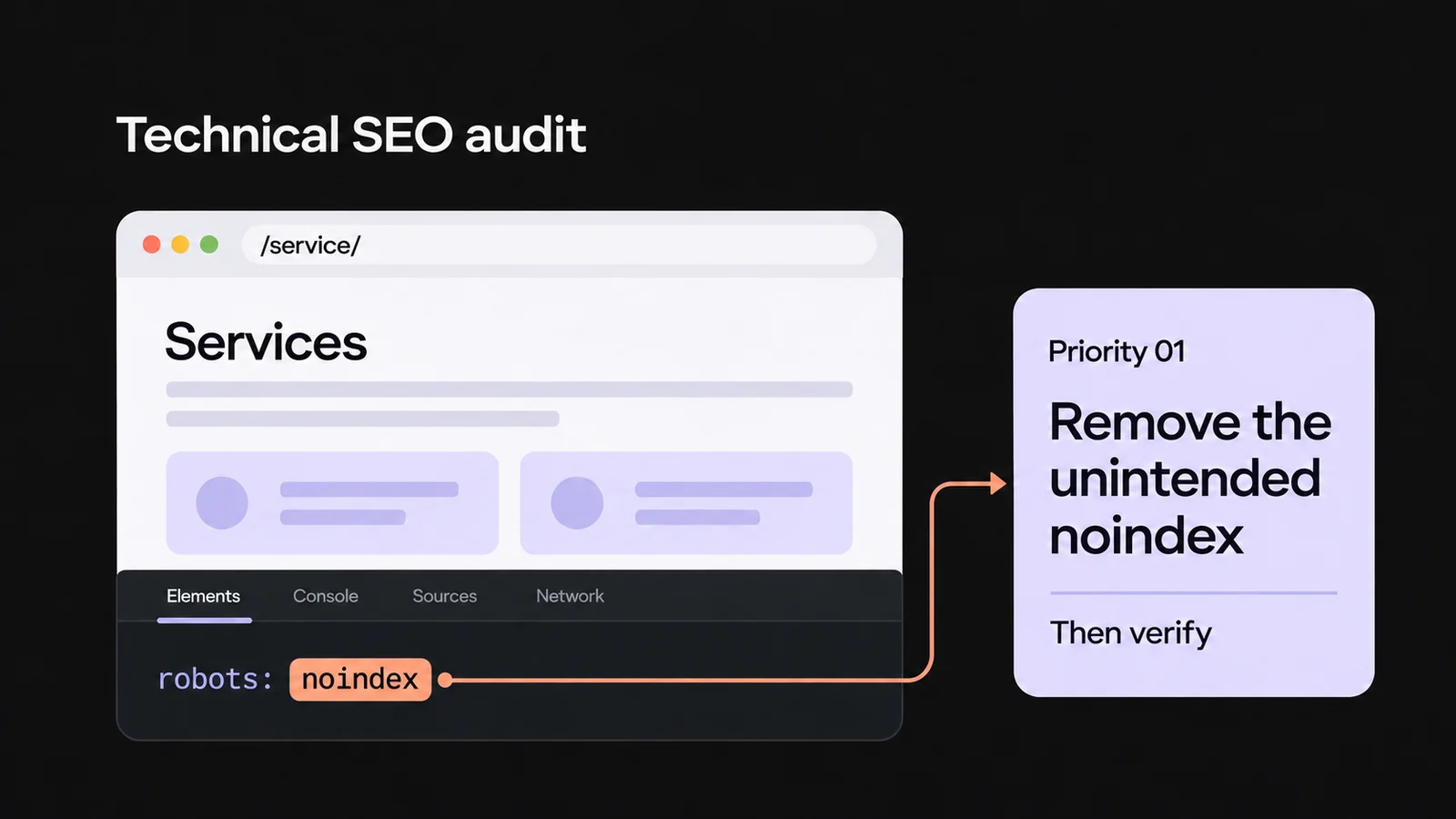
You control what you publish, how pages link to each other, and how your site works. Technical work might mean fixing a page that returns an error or blocks Googlebot. Google's technical requirements call for crawler access, a working page that returns an HTTP 200 response, and indexable content. Meeting those requirements makes a page eligible for indexing; it doesn't guarantee inclusion.
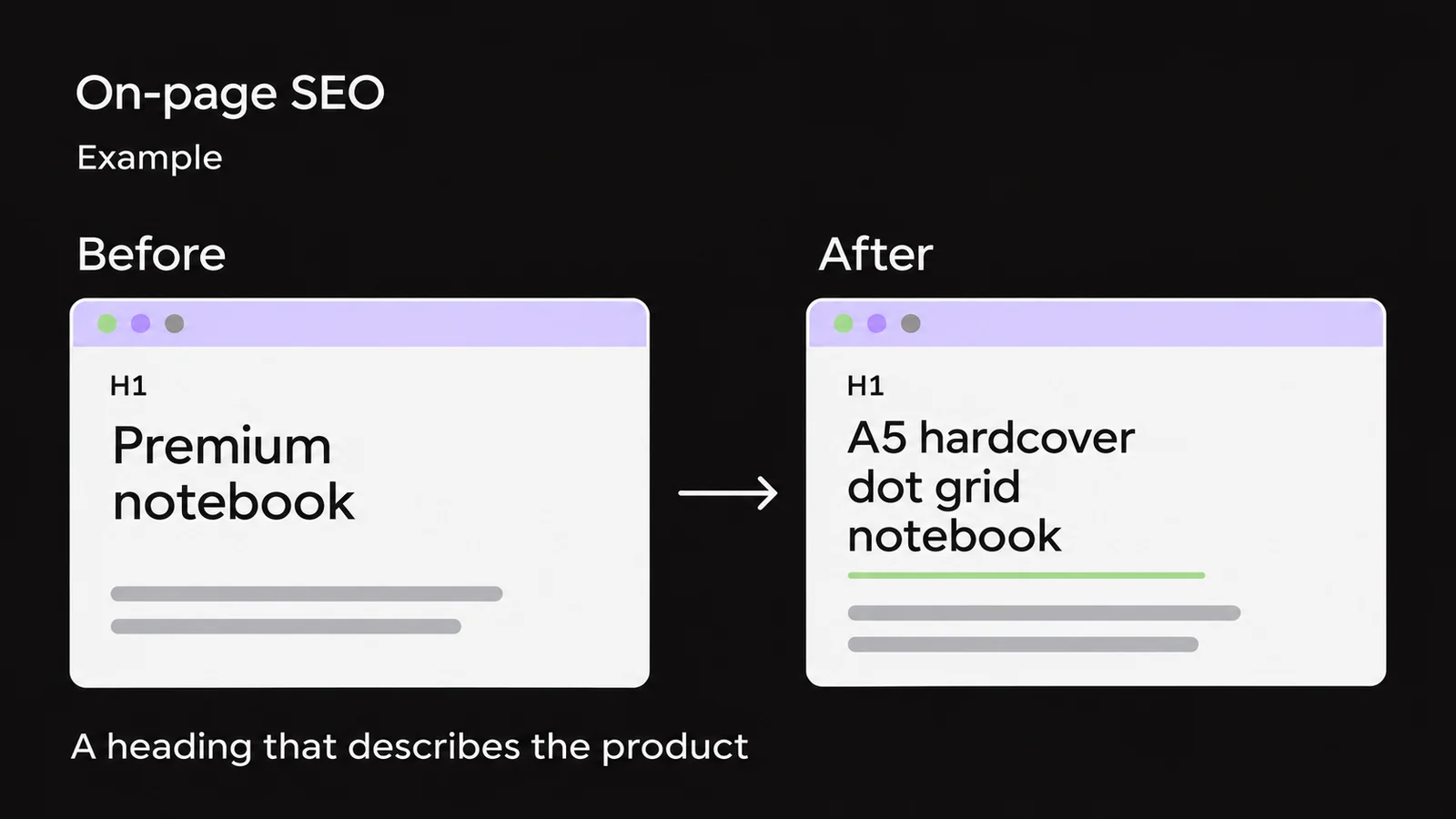
On-page SEO covers the elements of an individual page: its title, information, structure, images, and links. On a service page, you can explain who the service is for, what work it includes, and what details a customer should provide when contacting you. Google's guidance on helpful content asks whether readers get a sufficient answer, reliable information, and original material.
Work outside your website is often called off-page SEO. It includes bringing your content and expertise to the attention of relevant people and organizations. When a publication links to your research, that creates a backlink: a link from another website. Google also uses relationships between pages in its ranking systems. Whether a publisher cites you, though, is a decision they make, not a setting on your website.
If a page returns an error, fix that before adding more copy. If it loads correctly but describes a service you no longer offer, update the information first. Identifying the problem keeps a content issue from being assigned to a developer, or an access problem to a writer.
Turn a customer's question into a useful page
Imagine a woodworking shop that builds custom closets for attic rooms. This is a hypothetical example based on the search "custom closet for sloped ceiling." It does not describe results achieved for a client.
The searcher may want to know whether the space beneath a sloped ceiling can be used and which company to contact. A dedicated service page could show actual projects in similar rooms, explain the options the shop builds, and identify its service area. The photos need to support the description: a standard closet doesn't demonstrate the ability to fit one into an attic room.
Question "Can you build a closet that fits my attic room?"
Page Relevant projects, available options, and the area served.
Action Send photos and measurements for an initial assessment, if the business offers one.
The owner needs to confirm what the team can assess remotely. If they accept photos and measurements, the page should explain how to send them and what happens next. If a site visit needs to come first, offer that step. A generic "Contact us" form leaves customers to work out what information to prepare.
The SEO work also includes linking to this page from the services section, giving it a clear title, and checking that the content is accessible. Then assess the inquiries: are people actually asking about attic closets within the shop's service area? Vague messages and inquiries from outside that area don't have the same value as a request the business can fulfill.
Who does what on an SEO project?
When assigning work, distinguish the decision about what to change from making the change and checking it. One person may fill several roles in a small business. Even then, make clear who supplies the information, who can publish it, and who checks the result.
| Role | Task and deliverable |
|---|---|
| Business owner or service manager | Confirm the work offered and service area, choose photos the business can use, and define how to assess inquiries. |
| SEO lead | Check what searchers need, choose the page to improve, and specify the changes, priorities, and checks. |
| Content writer or editor | Write the service description and contact instructions, then have the business's point of contact verify them. |
| Website manager or developer | Publish the copy, photos, and links, fix technical issues, and test the form on a phone as well. |
| Person responsible for analytics and inquiries | Check form submission tracking and compare the data with the inquiries received and how well they fit the business. |
An assignment like "improve SEO" doesn't tell anyone what to publish. For this example, a task you can verify would be: "Add the approved instructions for sending photos and measurements to the attic closet page. The website manager will publish them. To check the change, submit a test inquiry from a phone and confirm it reaches the recipient." That tests the change itself. Visits and inquiries need to be monitored afterward.
Where to start on your own website
Choose a service or product your business wants to sell and a question customers need answered. Find the most relevant page and open it on your phone. Check whether it still describes what you offer and whether the contact or purchase process works. Use what you find to decide what to fix next.
If you don't know which question or page to choose
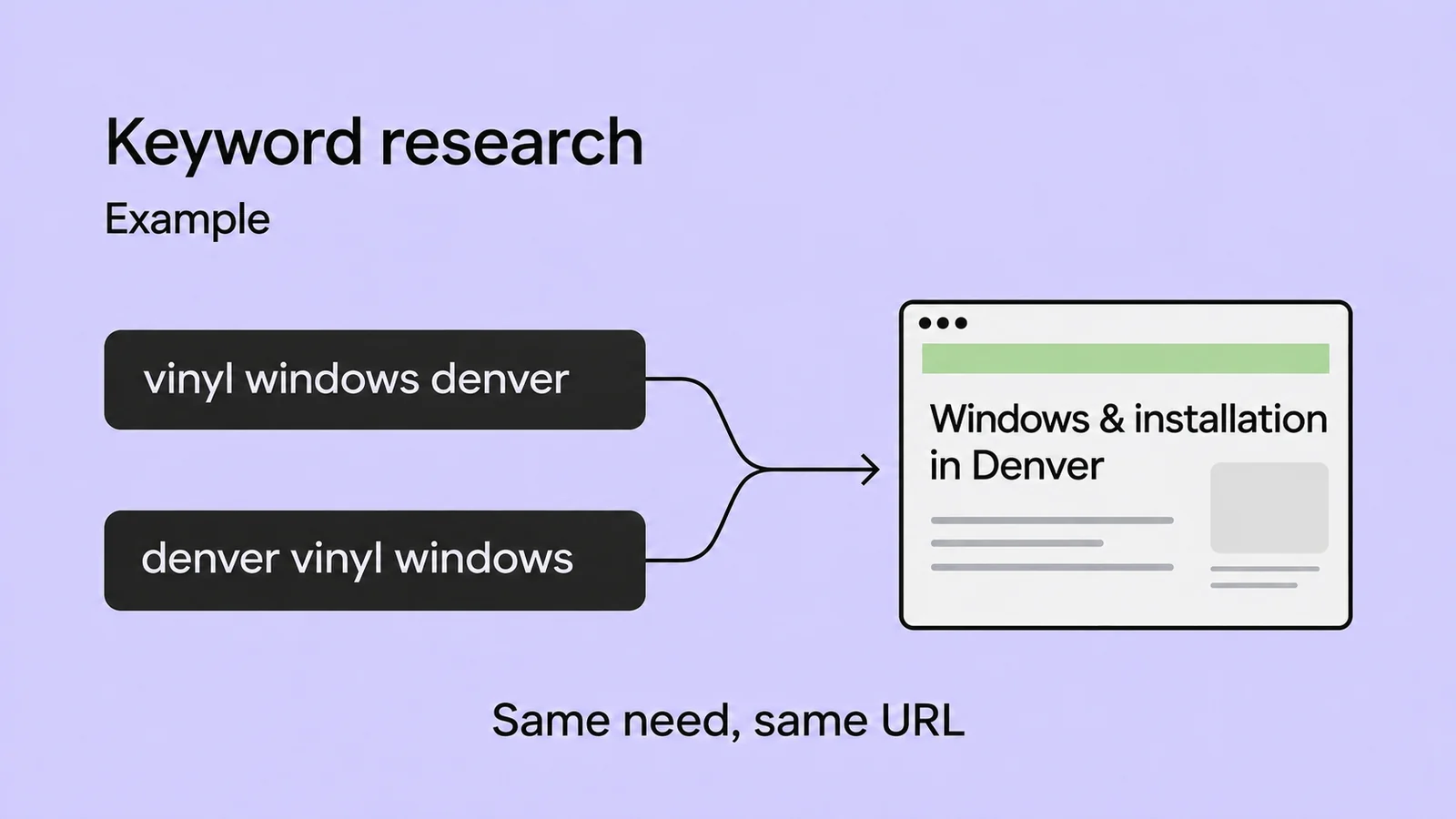
Collect the questions your sales or support team receives. The keyword research guide explains how to check them against search results and match them to URLs. If several pages give similar answers and you're unsure which to keep, run a content audit before creating another one.
If the page exists but you can't find it on Google
If you have access to Search Console, select your site and enter the full page address in the URL Inspection tool. Read the indexing status and the reason given if the page isn't indexed. The live URL test checks the current page; it doesn't prove that version is already in the index. Follow the technical SEO audit guide to interpret the result. If you don't have access, ask whoever manages the site to check that specific URL.
Also try reaching the page by following links from your homepage. If you can open it only by pasting the URL, check your internal links. Your navigation may be missing a useful route to that page. This test doesn't replace an indexing check.
If the page is accessible but leaves questions unanswered
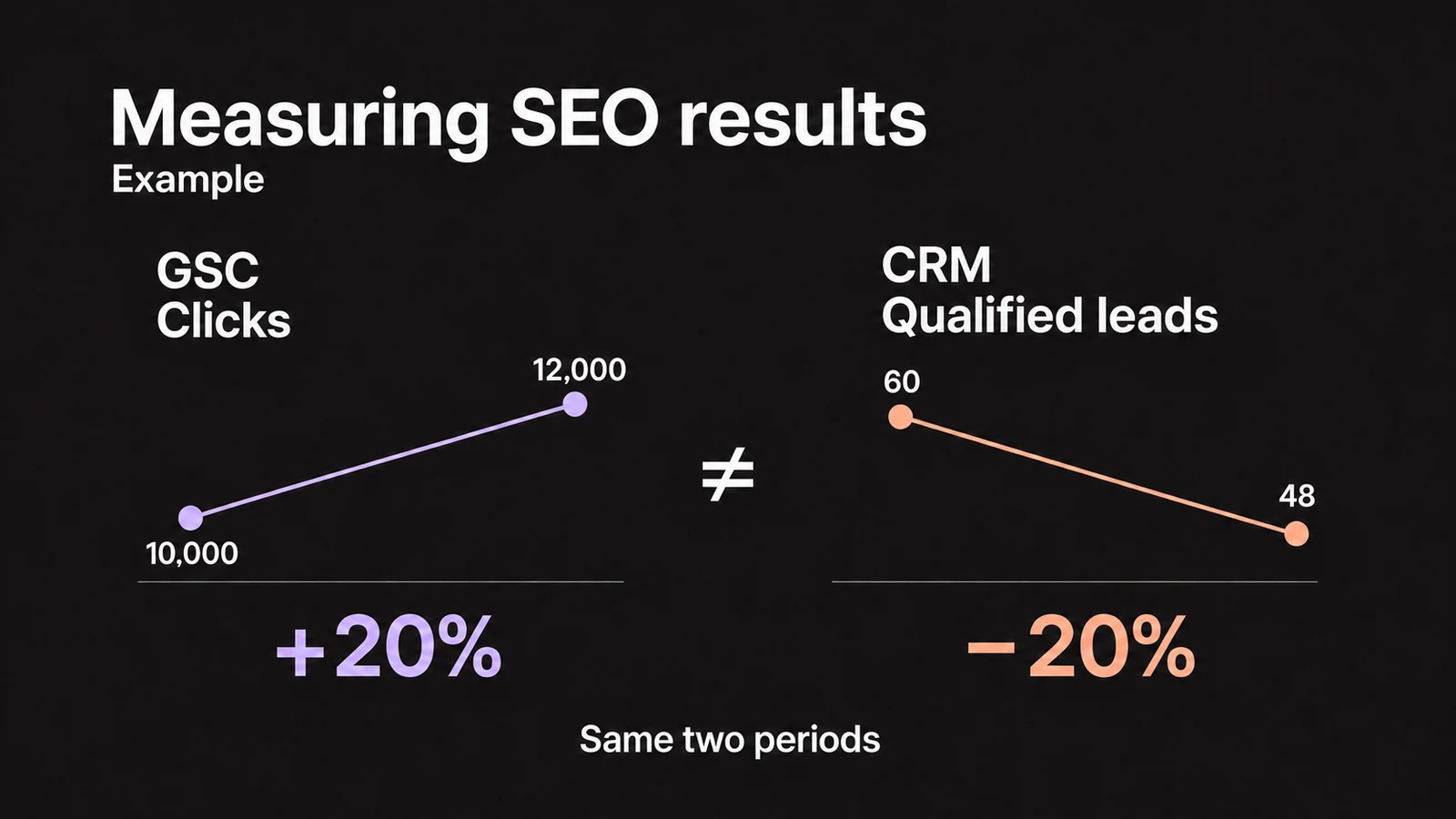
Write down what's missing, such as the service area or the details needed to request an assessment. Use the on-page SEO guide to update the page and check the published changes. Record the date and check whether the contact process works. The guide to measuring SEO results explains the difference between search data and inquiries the business can act on.
If your priority is visits to a physical location and searches in the surrounding area, continue with local SEO. For an online store with categories, products, and filters, the ecommerce SEO guide covers decisions specific to a product catalog.
Blogs and tools: two common questions
Do I need a blog for SEO?
No. Service pages and product category pages can already address what your customers are searching for. A blog is useful when a question needs its own explanation, such as a guide to choosing or using a product. Before starting one, decide who will provide the information and who will keep the articles up to date.
Do I need to sign up for Search Console to appear on Google?
No. Signing up is not a requirement for appearing in search results. Search Console is a free Google service that lets you check how Google sees your site, review search data, and identify indexing problems. You need access to run those checks, even if an outside provider makes changes to your website.