 Michele Eccher
On this page
A backlink audit checks which pages on other websites link to yours and whether those links still take readers to the right content. It’s useful after a migration, when a report flags lost links, or when you need to decide which mentions deserve attention. The result is a list of actions with evidence behind them: fix a destination, request a correction, monitor a link, or gather more information before acting.
You can start with Search Console and a spreadsheet. Compare each exported record with the current page, keeping confirmed links, cases you can’t verify, and unlinked mentions separate. The CSV audit log and worked example help you save those checks and assign the next steps.
Choose your data and set the scope
Select your site’s property in Search Console and open Links → External links. Review Top linked pages and Top linking sites, then open the details to find individual linking pages. You can export Latest links and More sample links from the report. Save the original files with the export date and property name before adding them to your audit log.
Google’s Links report shows a sample, groups data, and may include links that have since been removed. It does not identify nofollow links. Tables are limited to 1,000 rows; exports from the main report page can contain up to 100,000. A URL missing from an export doesn’t prove that the link is missing from the page. A discovery date also doesn’t establish when a link was published.
If you already have access to another backlink tool, use its export to find more URLs to check. Keep the tool’s name and the export date: tools differ in coverage, refresh frequency, and reporting criteria, so combining their lists doesn’t mean you’ve gained that many new links. Without Search Console access, you can start with reports you’ve received and mentions you already know about. Record where each item came from.
Decide whether you’re checking the whole domain, one directory, or a few pages. For a manageable first pass, we suggest 20 linking pages: up to 10 pointing to changed URLs or flagged issues, then others that cite your important pages. If you have fewer, check them all. If the same problem keeps appearing, extend the review to other affected pages before closing the audit. This starting sample helps organize the work; it doesn’t certify the entire backlink profile.
Count links, pages, and domains separately
One domain can have several pages linking to your site, and one page can contain two different links. Use one row in the log for each source URL and destination URL pair you need to check. If the same pair appears more than once, record the different link text and locations in that row. Keep the original URLs and merge variants only after confirming that they refer to the same case.
In your summary, count pairs with a confirmed link, unique linking pages, and unique referring domains separately. Use a consistent rule for domains. For example, group www.publisher.example and blog.publisher.example under publisher.example, while keeping full URLs in the individual rows. Don’t count subdomains belonging to the same publisher as new referring domains.
A rise in the number of rows may come from a footer link repeated across many pages. Open a few pages in the group and note the shared placement before treating it as growth in editorial citations. A row disappearing between exports also needs a check: look for the link on the source page and save what you find. Don’t automatically count the difference as a lost link.
What to check on each linking page
Find the link and read the surrounding text
Search for your site’s name, the link text, or the destination URL. Read the paragraph to understand why it cites the page. A manual may be a relevant source in a technical article; the same URL in a list of unrelated links needs a closer look. Record what you can observe, such as “cites the flow rate table,” instead of an unsupported judgment like “good site.”
If an error, login requirement, or access restriction prevents you from opening the page, mark it “unable to verify” and explain why. A tool receiving a 403 response doesn’t prove the author removed the link. Keep the page’s technical status separate from whether the link is present.
Check the URL, anchor text, and attributes
Anchor text is the clickable text. Use your browser’s Inspect command to find the <a> element. Read its href, the stated destination, and its rel attribute, if present. JavaScript can also insert a link, so inspect the element in the loaded page. Google’s crawlable link guidance explains how <a href> works.
<a href="https://idrica.example/guides/pump-maintenance/" rel="ugc nofollow">maintenance guide</a>In this fictional example, the visible text is “maintenance guide,” and rel contains two values: ugc and nofollow. Copy both. If an image is the link, record its alt text too. If you find only the company’s name with no link, record a mention and leave observed_href blank.
| Observed value | What it means for the audit |
|---|---|
No rel attribute | An ordinary link doesn’t need one. Its absence doesn’t guarantee an SEO benefit. “Dofollow” isn’t an attribute you need to add. |
sponsored | Identifies ads or paid placements. Record the advertising relationship and keep it separate from independent citations. |
ugc | Identifies user-generated content, such as comments or forum posts. Read the surrounding content as well. |
nofollow | Used when the other values don’t fit and the publisher doesn’t want to signal an association with the destination. It can appear alongside other rel values; readers can still follow the link. |
Google prefers sponsored for paid links and also accepts nofollow. During the audit, don’t ask publishers to remove these attributes for a supposed SEO benefit. See Google’s documentation on rel values.
Follow the destination and save evidence
Open the link and compare the starting URL with the final URL. Check that the content delivers what the link text promises. To see HTTP status codes, open Developer Tools → Network, enable Preserve log, and open the starting URL again. Select the document requests and record their status codes. If there’s a redirect, save the sequence and the final URL. Chrome’s Network panel reference explains how to read requests and responses.
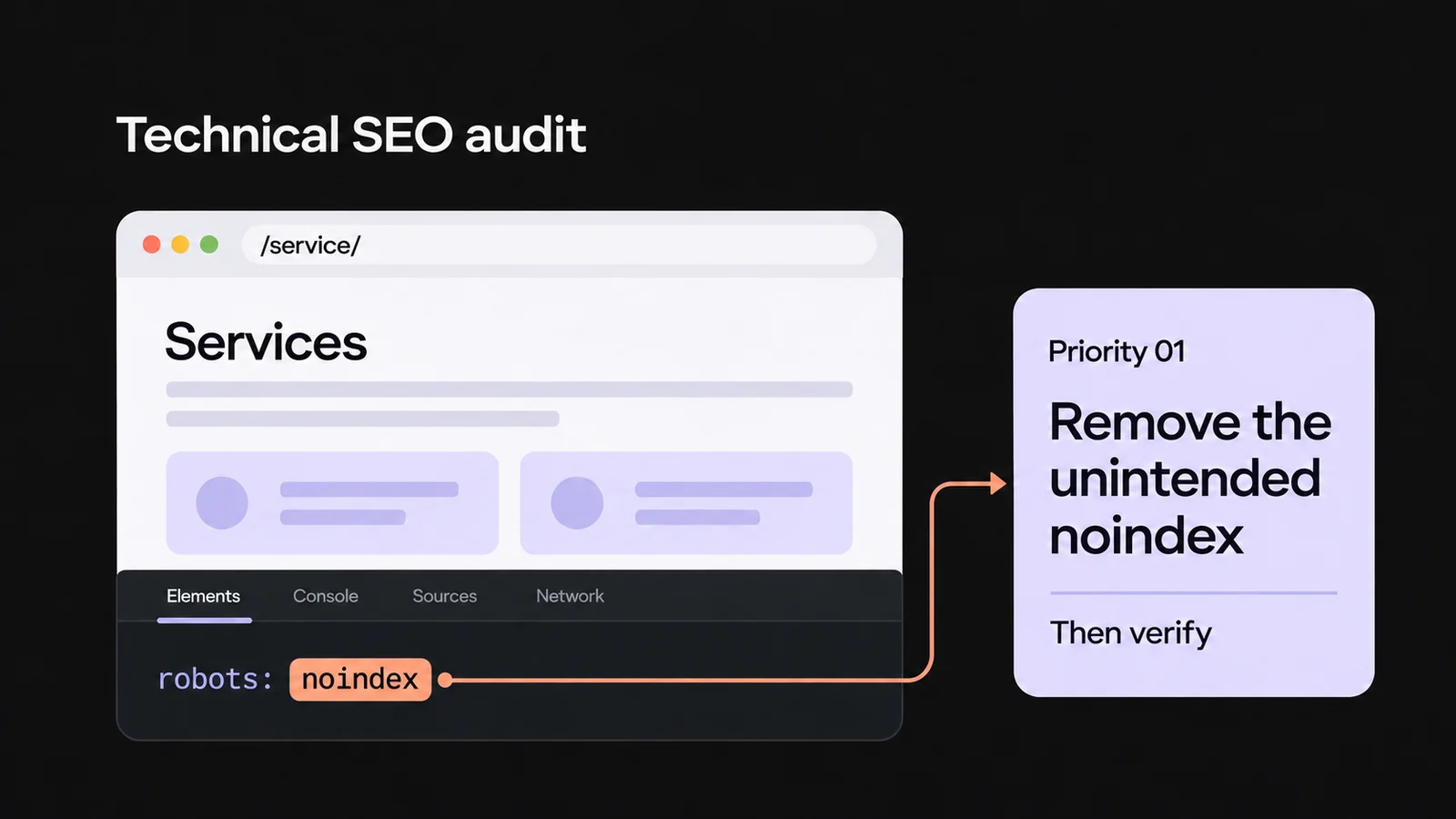
A 200 status means the request succeeded, but you still need to read the page. It could display an error message or content you didn’t expect. Save a dated screenshot or code excerpt and put its location in the evidence field. Use the technical SEO audit guide to check the canonical URL and indexability of your destination page.
Decide whether to recover, monitor, or investigate
The destination returns a 404
If you control the destination site, look for the content the reader was meant to reach. Restore a page that was deleted by mistake or, if it moved permanently, redirect the old URL to its current equivalent. Google identifies 301 and 308 as permanent redirect status codes.
When an article cites a technical manual, sending the reader to your homepage doesn’t replace that manual. If there’s no equivalent resource, consider recreating the useful content or telling the author it’s no longer available. For a group of changed URLs, use the SEO migration checklist. The person managing the site makes the fix; the auditor reopens the old URL and checks the destination and its content before marking the case resolved.
The link is relevant and reaches the right page
Keep it in the log and schedule another check. A low domain score from a tool doesn’t, by itself, call for changes. Assess the passage that cites the resource, its audience, and whether the destination works. If you have referral traffic data from that site, use it to help decide which links to check more often. Missing data stays “not available.”
The link is missing or its context raises questions
Before calling a link lost, look for earlier evidence: a code excerpt, screenshot, or documented check. Without that evidence, describe only what you see now. If the page mentions a resource readers would need to consult, you can suggest the relevant URL to the author and let them decide whether to add it. Once you’ve verified the addition, record whether it’s a new link or a restored one.
For a suspicious link, investigate how it was acquired: who requested it, any agreements or payments, and other similar placements. Google’s link spam policies cover links created primarily to manipulate rankings, including manipulative purchases and exchanges. A tool’s “toxicity” label can help you decide what to inspect; it doesn’t prove that Google has penalized the site.
A worked example: six pages, different decisions
Suppose you’re auditing links to idrica.example, a fictional water pump website. All URLs, content, and findings in this example are simulated. Each row is a different source page; the CSV contains the full URLs and the same case IDs.
| Case and source | Observed link | Context and status | Action |
|---|---|---|---|
B01 · industry.example | “flow rate table” → /guides/choosing-a-pump/; no rel attribute. | Technical article that uses the table. Source 200, destination 200. | Monitor: readers can reach the cited content. |
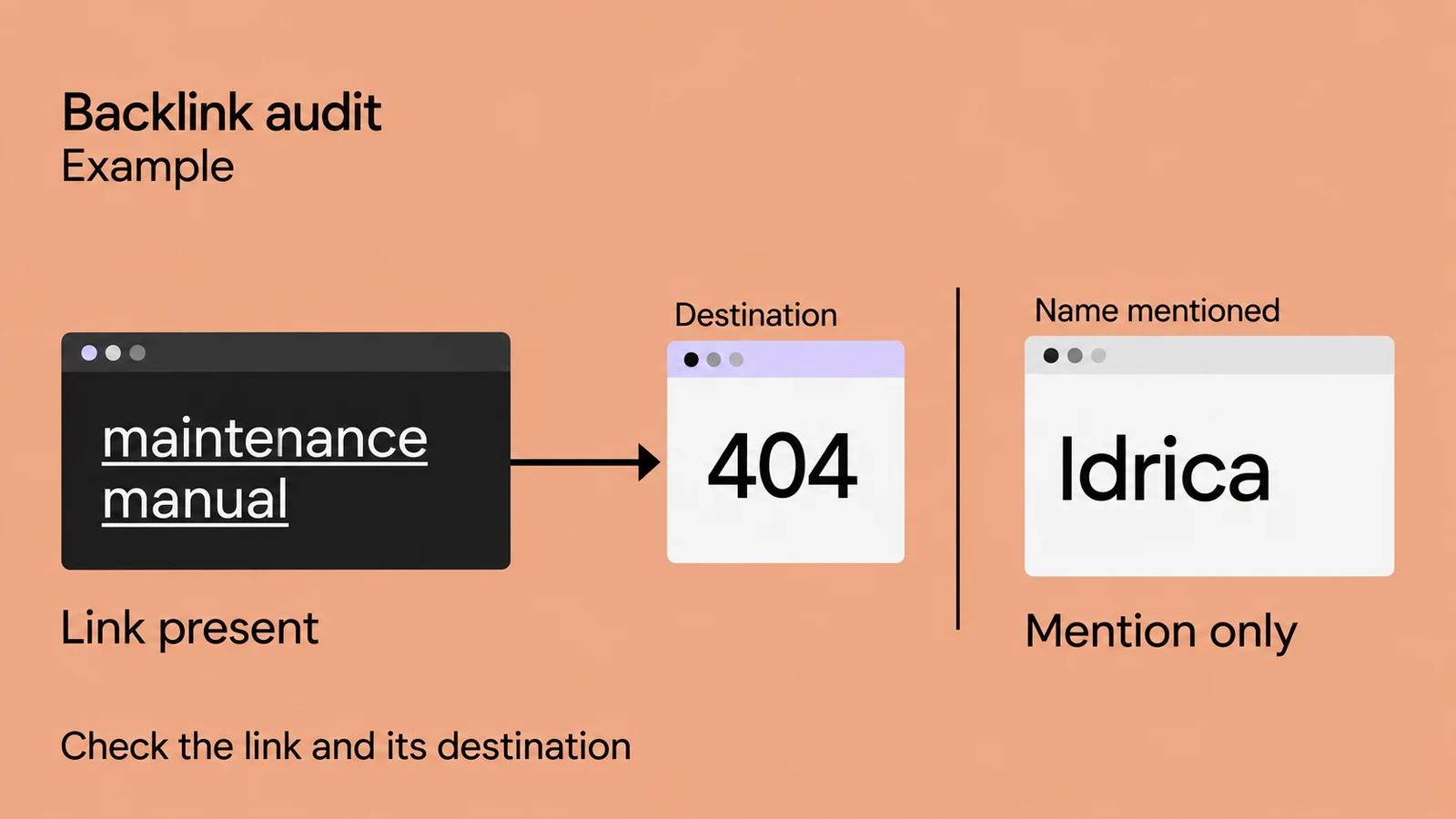
B02 · industry.example | “maintenance manual” → /old-pump-guide/; no rel attribute. | Another article links to the old manual. Source 200, destination 404. | Recover: confirm that an equivalent manual exists and fix the old URL. |
B03 · forum.example | “maintenance guide” → /pump-manual/; ugc nofollow. | Relevant forum reply. Source 200; destination 301, then 200 at /guides/pump-maintenance/. | Monitor: the redirect leads to the right manual. |
B04 · magazine.example | “Idrica” → homepage; sponsored. | Clearly identified advertising placement. Source and destination 200. | Monitor as advertising and keep the attribute. |
B05 · directory.example | “cheap water pumps” → /products/pumps/; no rel attribute. | List of unrelated topics; how the link was acquired is unknown. Source and destination 200. | Investigate agreements and similar placements. Don’t remove it automatically. |
B06 · news.example | “Idrica” mentioned without an href. | Company news story, source 200. No link found and no evidence of an earlier link. | Consider suggesting a link that helps the reader. Don’t count the mention as a backlink. |
The six pages belong to five domains. Five links are present across four domains: B01 and B02 share industry.example. Four links reach a page with a 200 response, directly or through a redirect; B02 reaches a 404. B02 still has a link on the source page even though its destination is broken. B06 is excluded from both the backlink count and the count of domains providing links.
The first fix is on your own site. The technical owner compares B02’s old manual with /guides/pump-maintenance/. If they’re equivalent, the owner sets up the redirect and the analyst checks it again. B05 needs records and context before anyone chooses an action. Both tasks can proceed without waiting for the B06 mention to become a link.
When to consider disavowing links
Google describes the disavow tool as an advanced feature most sites don’t need. It sets out two conditions that must apply together: a substantial number of spammy, artificial, or low-quality backlinks, and a manual action caused by those links or a likelihood that they will cause one. Incorrect use can hurt your site’s search performance.
Check the Manual actions report and review any past link purchases or link schemes. If the case meets Google’s conditions, involve your SEO lead. Google recommends trying to remove problematic links first. Base the decision on the evidence you’ve collected and the work already done.
Download and fill out the audit log
- Download the blank backlink audit log, CSV.
- Download the completed example with six simulated cases, CSV.
Import the file into your spreadsheet with UTF-8 encoding and a comma delimiter. The blank template contains only column headers; add rows for your own site. Import URLs, status codes, and dates as text. Every row in the example lists “simulated example” as its source. Replace that with the name of your report or check. Dates use YYYY-MM-DD.
| Fields | What to enter |
|---|---|
id, source, export_date, check_date | Assign a stable ID. If there was no export, leave its date blank and describe how you found the page. |
source_url, source_domain, expected_destination_url | Record the external page, its grouped domain, and the destination listed in the report, if available. Otherwise leave the expected destination blank and check the href during your inspection. |
observed_href, final_url | Copy the actual link URL and the URL reached after any redirects. Leave both blank if the link is absent or you can’t verify it. |
source_http_status, destination_http_status, link_presence | Keep page status codes separate from your finding: “present,” “absent,” or “unable to verify.” For a redirect chain, you can enter 301 > 200. |
anchor_or_mention, rel, context, evidence | Copy the text and all rel values, explain why the page cites the resource, and reference your saved evidence. Use “absent” for an attribute you checked that isn’t there; use “not applicable” if there’s no link. |
decision, priority, action, owner, next_check, outcome | State what needs doing, who owns it, and when to check again. The outcome records what you’ve already verified, separately from the proposed action. |
Save a dated copy of the log and reuse the same IDs on the next audit. That lets you compare changes to destinations or attributes with earlier checks. If the original report lacks anchor text, rel values, or HTTP status codes, fill them in during your inspection. Don’t infer them from the source’s name. Leave anything you couldn’t verify blank.
Set priorities and schedule follow-up checks
Prioritize actions by their consequences and what you can do about them. Fixing a broken URL for important content on your own site comes before an optional request to a publisher. An existing manual action needs immediate investigation. Agree on an owner and a date for every open task: “check the links” doesn’t tell anyone who needs to do what.
As a starting schedule, recheck a fix as soon as it goes live, follow up on correction requests after two weeks, and review stable links after a month. These are suggested planning intervals. Check sooner after a migration or a change to an important page. Your summary should state how many cases you checked, how many remain unverified, and which actions are actually complete.
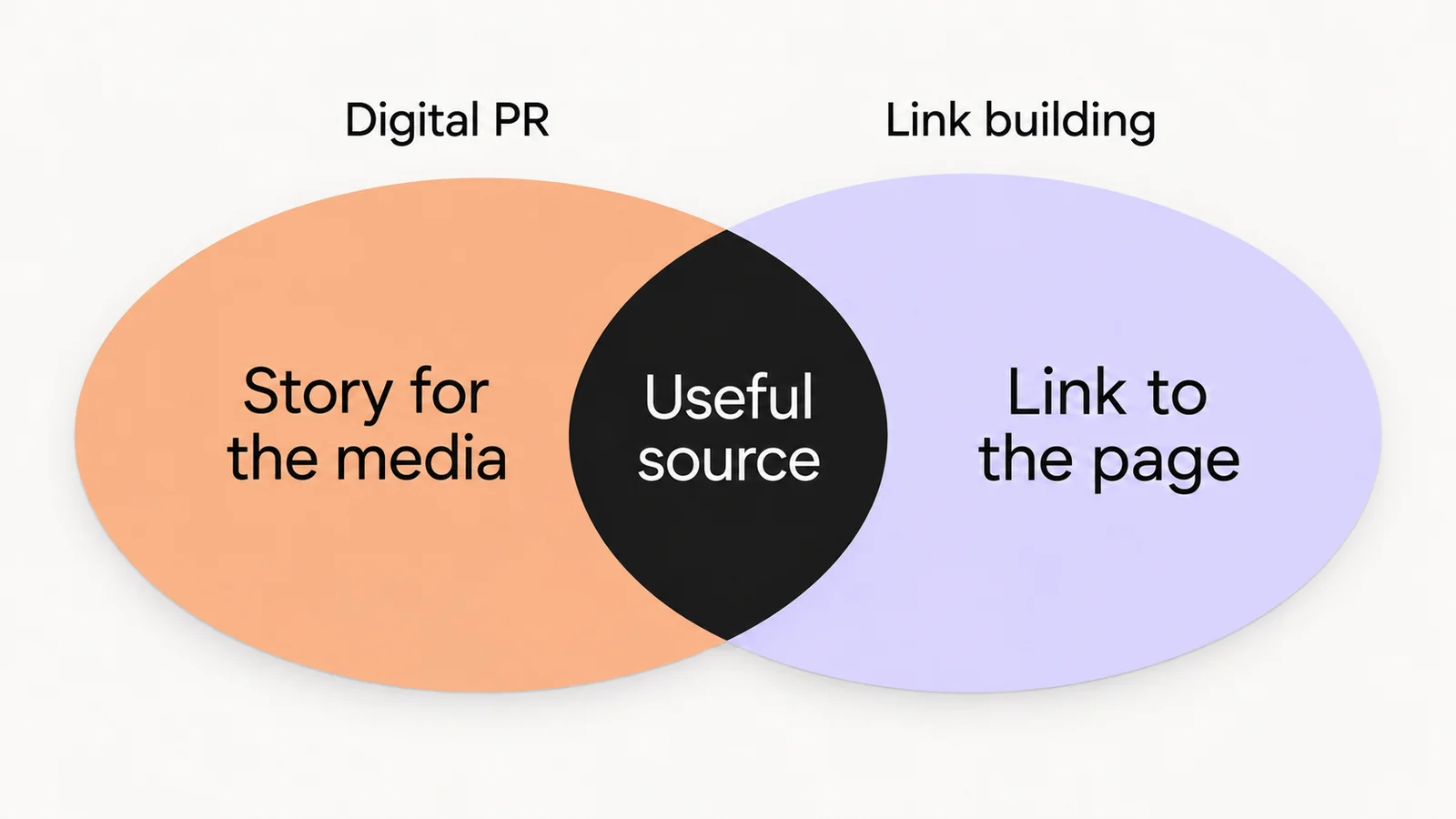
Once you’ve checked the existing profile, deciding how to earn new citations is a separate task. The comparison of digital PR and link building can help you plan that work without mixing the audit with a link acquisition campaign.
Backlink audit FAQs
Can I use Search Console to audit a competitor’s backlinks?
Search Console requires access to the site’s property. For a competitor, you can review public mentions and data from an external tool, then check the pages you can access. You won’t have their private report or a complete record of their backlinks. Keep this research separate from your own audit log: it won’t reveal the competitor’s agreements, account access, or previous fixes.
How do I close a case if a publisher won’t fix the link?
Record the response and mark the outcome as ‘correction not obtained.’ If the link points to a page you deleted, you may still be able to fix the destination when equivalent content exists. Otherwise, keep the case on record without marking it as a successful recovery.